For security reasons, your user account will be inactivated after a prolonged period of inactivity (365 days). If you attempt to log in while your account is inactive, you will receive the following error message:
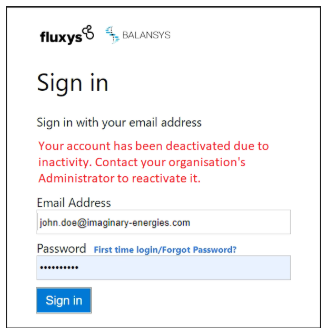
If your account is inactive and you need to reactivate it, please reach out to your organisation’s Administrator.
Once reactivated, you will regain full access to your account using your usual credentials. If you need to reset your password, please see the section Reset your password of this user guide.
To prevent your account from becoming inactive, we recommend logging in periodically or setting a reminder to access the system regularly.
Note that if the physical contact who needs to be reactivated is having the role of Administrator, an other Administrator of the same company can execute these steps.
If there is no other Administrator for your company, please contact your Fluxys point of contact.